
Beesy Task Management
Duplicate action
The same action for several people!
Use the “Duplicate this action” feature
1 – Select the action to duplicate
2 – Click on the “duplicate action” menu
To access this menu in your iPhone or iPad , use the swap to the left, and click the  button
On your Beesy.me , click directly on the  button
And choose the “Duplicate action” menu
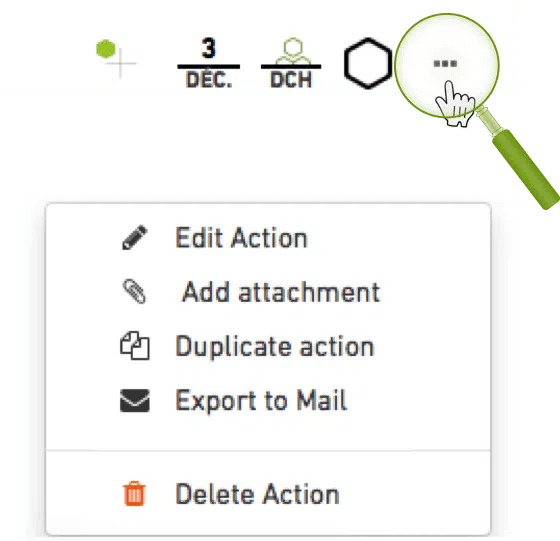
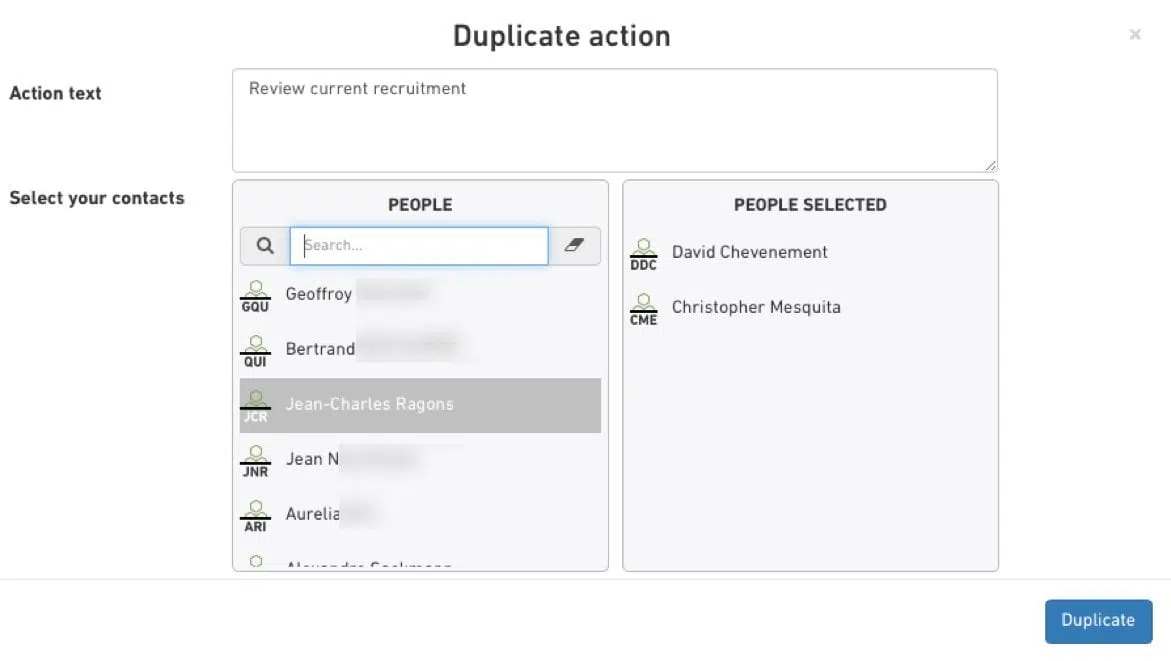
3 – Choose the people(s) you want to assign the action
The action will then be automatically duplicated and assigned for each selected contact.
4 – Customize your actions
Select the duplicate action and customize the description, the deadline, and the project.