1) New design for notes and projects sharing:
- A yellow sharing icon is displayed to tell you that you have been shared a note/project
- A black icon is displayed if you shared a note/project with someone

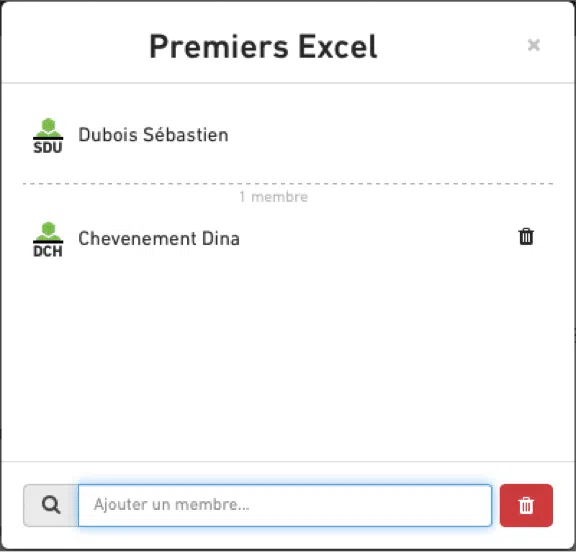
- You can also click this new icon to access the list of persons in the sharing. If you are the note/project owner, you can then share the note/project to new people:
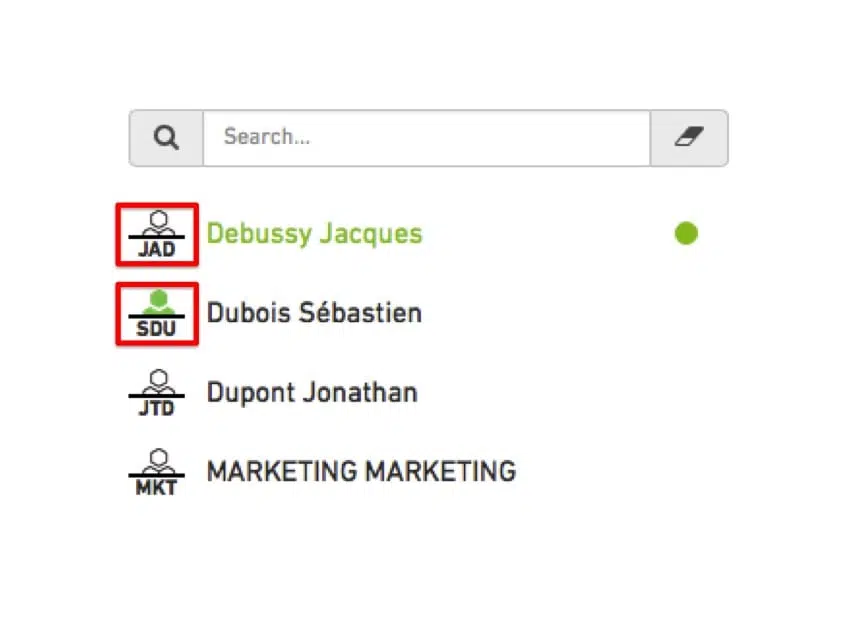
- New sharing icons allow you to differentiate in a glance Beesy users from people who have been shared actions but who do not own an account: Beesy users have a green avatar, whereas others have a grey avatar:
2) Dashboard:
Possibility to display actions for (+/-) 7 days or (+/-) 30 days.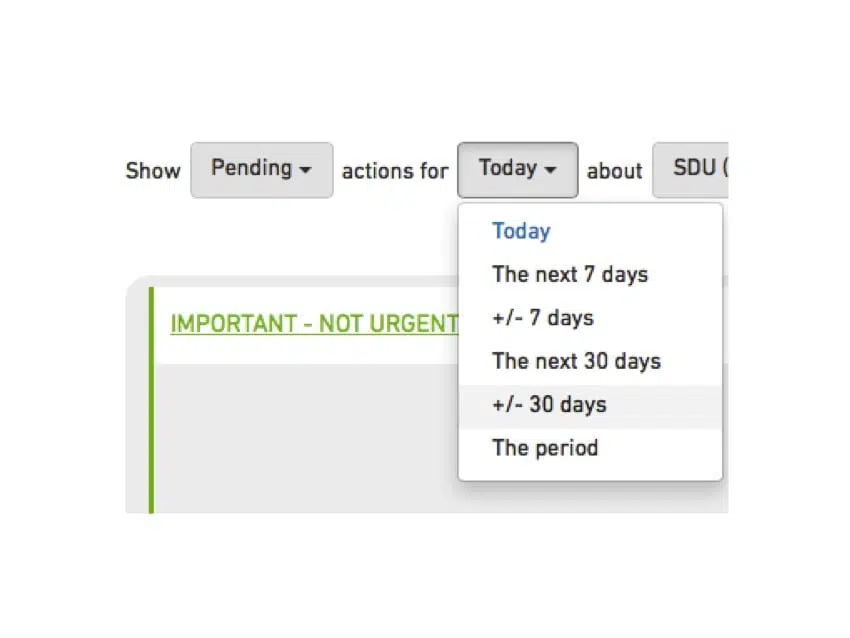
3) Tabs:
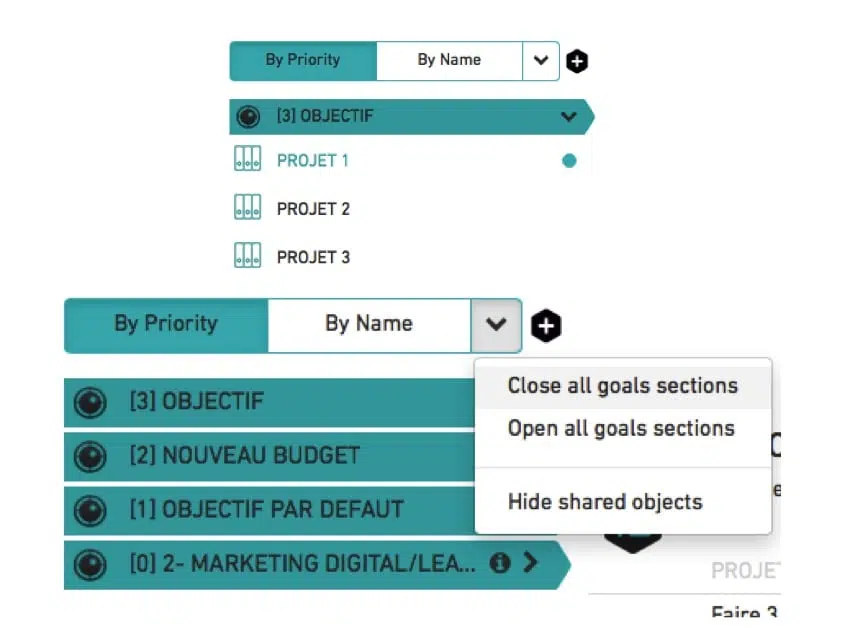
– You can now open or close all objectives and notes sections. Closed sections are saved. – You can also hide shared notes and projects.4) Icons :
A specific icon has been created for objectives.